For pricing on the engines that ship with SmartCraft, see the Ontario Mercury Outboard Price Guide and Mercury Repower Cost: Ontario 2026 (CAD). The Mercury Controls & Rigging Guide (Ontario) covers DTS and gauge wiring in detail, and Mercury Motor Families: FourStroke vs Pro...
Quick answer: VesselView is Mercury's gauge display; SmartCraft is the data network behind it; the Mercury Marine app pulls both into your phone. Together they show fuel use, engine hours, alarm codes, and service intervals in real time. Compatibility depends on motor year. Quote a current setup at mercuryrepower.ca.
For pricing on the engines that ship with SmartCraft, see the Ontario Mercury Outboard Price Guide and Mercury Repower Cost: Ontario 2026 (CAD). The Mercury Controls & Rigging Guide (Ontario) covers DTS and gauge wiring in detail, and Mercury Motor Families: FourStroke vs Pro XS vs Verado explains which engines include DTS standard.
Mercury has a lot of smart technology now. Some of it is genuinely useful. Some of it sounds useful until you are staring at a dash menu at the dock wondering why your phone won't pair.
Here's the plain-English version: VesselView is the display, SmartCraft is the engine data network behind it, and the Mercury Marine App brings some of that information to your phone. Together, they can show fuel use, engine hours, alarms, service reminders, and performance data.
Harris Boat Works is a family-owned marina in Gores Landing on Rice Lake, established in 1947, and a Mercury Marine Premier Dealer. We install and service this equipment, so this is the version of the conversation we'd have at the shop: what it does, what is worth paying for, and what is just another screen to poke at when you should be boating.
How the pieces actually connect
SmartCraft is the hub. Everything else plugs into it separately. Nothing routes through anything else.
| Piece |
What it is |
How it attaches to SmartCraft |
| Engine sensors |
The source of the data |
Built into the motor |
| SmartCraft |
The engine data network |
This is the hub |
| VesselView display |
A dash screen that reads the network |
Wired to the SmartCraft network |
| Active Trim |
A hands-free trim feature |
Enabled through DTS controls, a VesselView display, or a standalone dash pad |
| Mercury Marine App |
Your phone, over Bluetooth |
Through a SmartCraft Connect Mobile module, not through the display |
Active Trim is a feature that sits on the network. It is not a step your engine data passes through on its way to your phone.
SmartCraft Is the Engine's Computer. Everything Else Plugs Into It.
SmartCraft is Mercury's name for the engine-side network that talks to gauges, displays, and apps. If your motor is from 2004 or newer at 40 HP and up (or 2022+ at 25 HP+ with electric start), it's SmartCraft-capable. That's the foundation.
Everything in this article (VesselView, Active Trim, DTS, the new Mercury Marine App) runs on top of SmartCraft. Think of SmartCraft as the engine's data backbone; the displays and apps are how you read what it's saying.
You don't "install SmartCraft." It's already in your motor if it's modern enough. What you install are the modules and displays that connect to it.
Getting it fitted: SmartCraft & VesselView install at HBW.
SmartCraft Connect Mobile (formerly VesselView Mobile) and the Mercury Marine App (Summer 2025)
Quick history. VesselView Mobile has been Mercury's phone app for several years. A Bluetooth module under the cowl talked to your phone, and the phone showed engine data. Around summer 2025, Mercury started transitioning everyone to the new Mercury Marine App, which replaces VesselView Mobile with more features and a cleaner interface.
What you need to know:
- If you already have a VesselView Mobile module under your cowl, it still works with the new Mercury Marine App. No hardware changes.
- The new app adds: GPS range rings, warranty tracking, Mercury Product Protection (MPP) tracking, and a maintenance counter that tells you when service is due.
- Cost to transition: zero, same hardware, new software.
- Multi-engine boats now use the SmartCraft Connect Mobile multi-engine module (part 8M0173129), which mounts under the helm and supports up to 4 engines.
If you bought your boat used and there's no module under the cowl, that's the part to add: a SmartCraft Connect Mobile module is a Mercury part priced in USD plus installation, and we'll confirm the current price when we spec yours. We'll spec the right one and install it.
What the App Actually Shows You (And Why You'll Care)
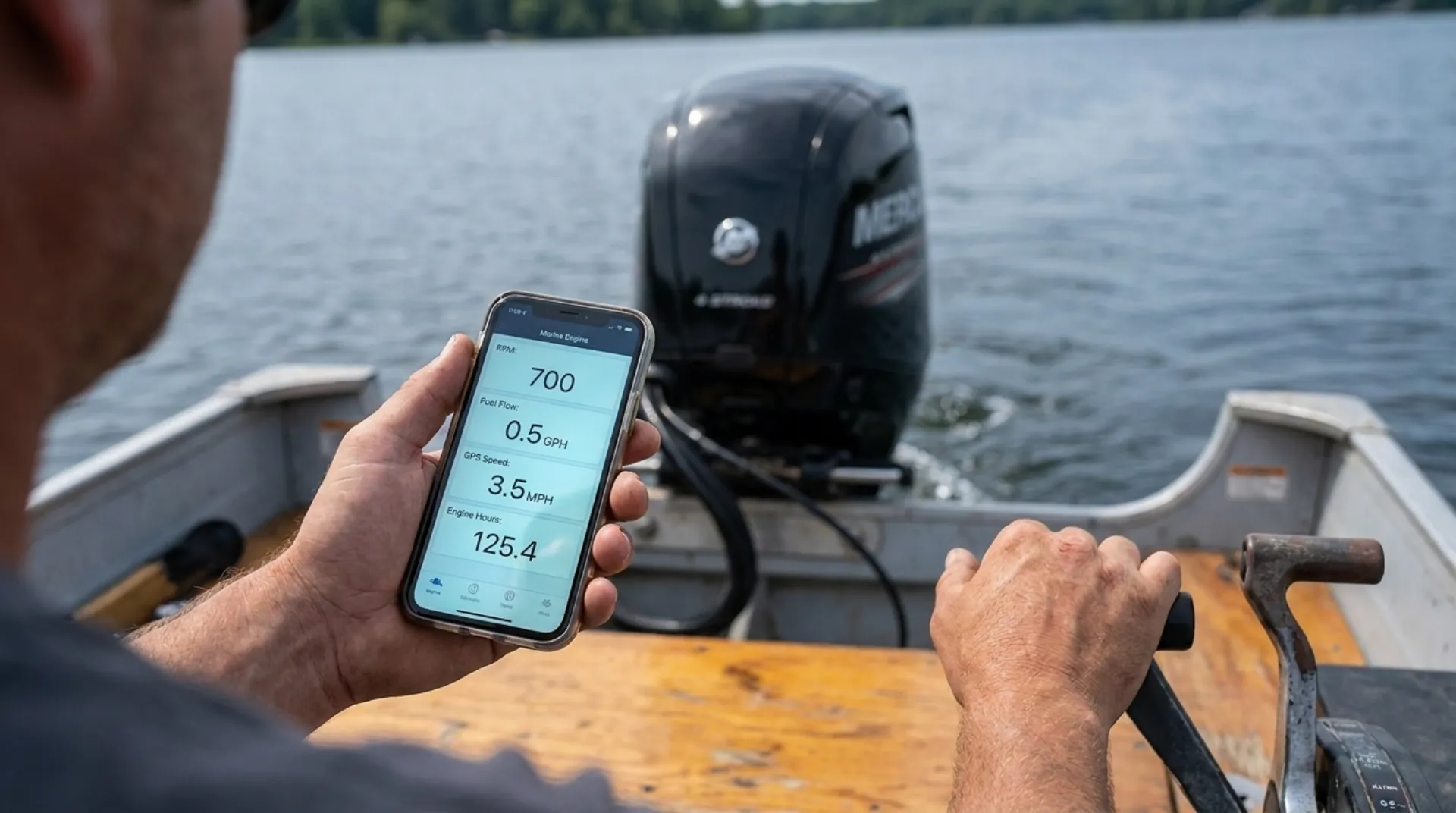
Once your phone is paired, here's what's on screen:
- RPM, speed, fuel flow rate, the only numbers that matter for tuning your trim and prop
- Fuel used, fuel remaining, range, actual range based on current burn, not a guess
- Engine temperature, battery voltage, engine hours, the data your dealer wants when something's wrong
- Trim position, useful for finding your sweet spot at cruise
- Fault codes, instead of an alarm with no explanation, the app tells you what flagged
- Maintenance reminders: "100-hour service due in 12 hours" instead of you guessing
- GPS range rings (new app), see how far you can go on remaining fuel before you commit to a long run
The features people actually use: fuel flow at cruise (saves real money over a season, set the right trim, watch the L/h drop), engine hours (so you know when 100-hour service is genuinely due), and fault codes (so when the alarm rings, you know if you're heading home or finishing the day).
DTS. Digital Throttle and Shift. What It Replaces and Why It's Better
DTS replaces the old mechanical cables that connected your throttle lever to the engine with electronic "drive-by-wire." A signal goes from the lever to the engine's computer; the engine acts on it.
What that gets you:
- Zero hesitation. Move the lever, the engine responds immediately. No cable lag.
- Smoother shifting. The "clunk" goes away. Forward, neutral, reverse all transition cleanly.
- Easier docking. You can make tiny throttle adjustments, half a notch, that mechanical cables can't reproduce.
- No cable wear. Mechanical cables stretch and corrode over years; electronic signals don't.
DTS is standard on all current Verado models (V8 250-300 HP, V10 350-425 HP, and V12 600 HP) and is available on selected FourStroke and Pro XS configurations. If you're running a smaller engine, you likely have mechanical throttle and shift, and that's fine. Verify the exact model and serial before planning a control-system change.
Worth retrofitting? Almost never on existing boats. DTS retrofit involves changing the lever, the cables, the helm wiring, and possibly the engine's computer. New repower? Worth it on V8s.
Active Trim. Auto-Trim That Actually Works
Active Trim is the feature most owners ignore and shouldn't. It automatically adjusts the engine's trim based on speed and load, keeping you in the efficient zone without you thinking about it.
The four modes the engine cycles through:
- Idle Speed, holds whatever trim you have (no auto-adjust at idle/no-wake)
- Acceleration, tucks the engine in as you punch it, killing the bow-rise on hole shot
- Planing Speed, adjusts trim based on GPS speed for best efficiency
- Override, when you take manual control, exceed 50 mph, hit 80% of rated RPM, or decelerate to idle, Active Trim hands you back the helm
You also pick one of five Active Trim profiles, higher number means more trim applied at speed. A heavily loaded boat or a choppy day might benefit from a lower profile (less aggressive trim out); a light boat in flat water rewards a higher profile.
The catch: Active Trim doesn't see shallow water. It's making decisions about hull attitude based on speed and RPM. If you're entering a shallow spot, take manual trim control before the prop hits the bottom. The system isn't a substitute for awareness.
Active Trim is offered across many SmartCraft-capable Mercury setups, including a wide range of FourStroke outboards and SmartCraft-capable sterndrives. Compatibility depends on the motor year, rigging, and current SmartCraft setup, so confirm with your dealer before ordering parts.
What Hardware You Actually Need (2025/2026 Lineup)
Mercury split the SmartCraft Connect family into a handful of part numbers depending on your setup:
| Module |
Part # |
For |
Where it lives |
| SmartCraft Connect Mobile (single engine) |
8M0173128 |
1 engine |
On the engine |
| SmartCraft Connect Mobile (multi-engine) |
8M0173129 |
Up to 4 engines |
Under the helm |
| SmartCraft Connect + Display |
8M0173704 |
1 engine |
Under cowl |
| SmartCraft Connect + Display |
8M0173694 |
1 engine |
Under helm |
| SmartCraft Connect + Display |
8M0173696 |
2 engines |
Under helm |
| SmartCraft Connect + Display |
8M0173703 |
3+ engines |
Under helm |
If all you want is the phone app, the 8M0173128 (single engine) or 8M0173129 (multi-engine) is your part. If you want the data on a chartplotter (Simrad, Garmin, Raymarine), the bigger Connect + Display modules talk to your MFD over NMEA 2000.
Installation isn't terrible on most boats, a couple of hours plus configuration. We do them at the shop and we can also confirm at install whether your existing phone, MFD, and Bluetooth all play nicely.
When to Bother
Honest take, customer-by-customer:
- You have a 2010+ Mercury and you've never paired it to your phone: worth the module + an hour of your time. The fuel flow and hour-tracking alone will pay for it over a season.
- You're repowering and choosing options: add the SmartCraft Connect module from day one. Cheaper as part of a rigging job than as a retrofit.
- You have a multi-engine boat: the multi-engine module is genuinely useful, see all engines on one screen, compare RPM trims, catch one engine running hotter than the others before it becomes a problem.
- You have a 2003 or older Mercury: you don't have SmartCraft, and adding it isn't realistic. Skip.
What HBW Can Do
We install SmartCraft Connect modules, configure the Mercury Marine App, set up multi-function display integration with Simrad/Garmin/Raymarine over NMEA 2000, and service every SmartCraft-capable Mercury.
Most installs are 2-3 hours and run $300-$500 plus parts. We can do them as part of a service visit or as a standalone service request.
Book at hbw.wiki/service.